


LAUNCH X431 i-TPMS TPMS PROGRAMMING TOOL

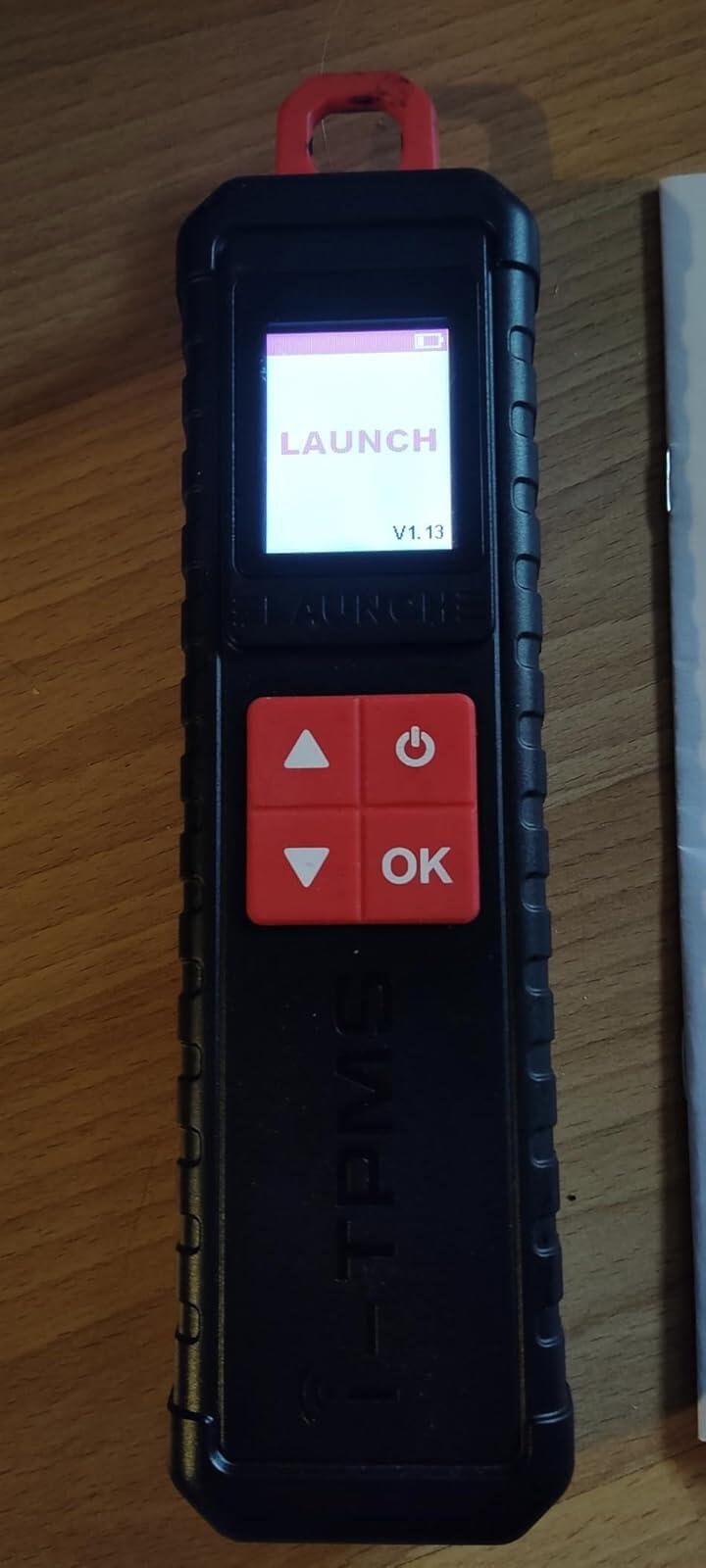
2024 LAUNCH X431 i-TPMS is the upgrade of x431 tsgun,it supports all of the function of x431 ts gun such as TPMS Active/Relearn/Programming Tool can program launch sensors 315 MHz and 433 MHz.(PS: Only can program launch sensors) , It also works standalone via tpms app.(Only for Android System)
What is the Difference Between 2024 LAUNCH x431 i-TPMS and previous x431 tsgun?
1.They are all support 315/433MHz sensors's activation,programming,relearning and diagnosis.
2.Difference 1: The original x431 tsgun must be conbine with the x431 series scanners,while the 2024 launch x431 i-TPMS can work standalone via i-tpms app in your Android phone.
3.Difference 2:x431 i-TPMS can not only be selected by car brand and model but can be selected by OE part number directly and faster,while the tsgun can only support be selected by car brand and model.
4.Difference 3:x431 i-TPMS support multiple online repair resources including Operating Skills,DTC Help,Tech Handbook,Repair Case,Tire Pressure Maintenance Database for you to diagnostic and repair.
2024 LAUNCH X431 i-TPMS Tire Pressure Detector, Activate/Relearn/Program Sensors

Complete TPMS Functions:
Activates all universal TPMS sensors.
Reads sensor data including sensor ID, tire pressure, temperature, battery condition ect.
Read/Clear fault codes for tpms system, allows you clearly view the status of all TPMS sensors, and compare sensor and ECU data to instantly pinpoint system faults;
4 Modes to Program Launch Scanner:
Auto Create : user can generate the sensor ID by click auto button
Manual Input : x431 tsgun support manually input the original ID or other ID.
Copy by OBD: it needs to connect OBD cable to retrieve the sensor ID from the ECU.
Copy by Activation: it requires activate the original sensors first.
3 Ways to Relearn Sensors:
Stationary Relearn requires the vehicle be placed in the learning mode, and the follow the on-screen prompts to complete it.
Automatic Relearn, for some vehicles, can be completed by driving. Refer to the on-screen learning steps to do the operation.
OBD Relearn directly writes TPMS sensor IDs to the TPMS module via the OBD connector.To perform relearn by OBD, firstly activate all sensors, and then use the diagnostic tool together with the included VCI to complete the learning steps following the on-screen instructions.
T
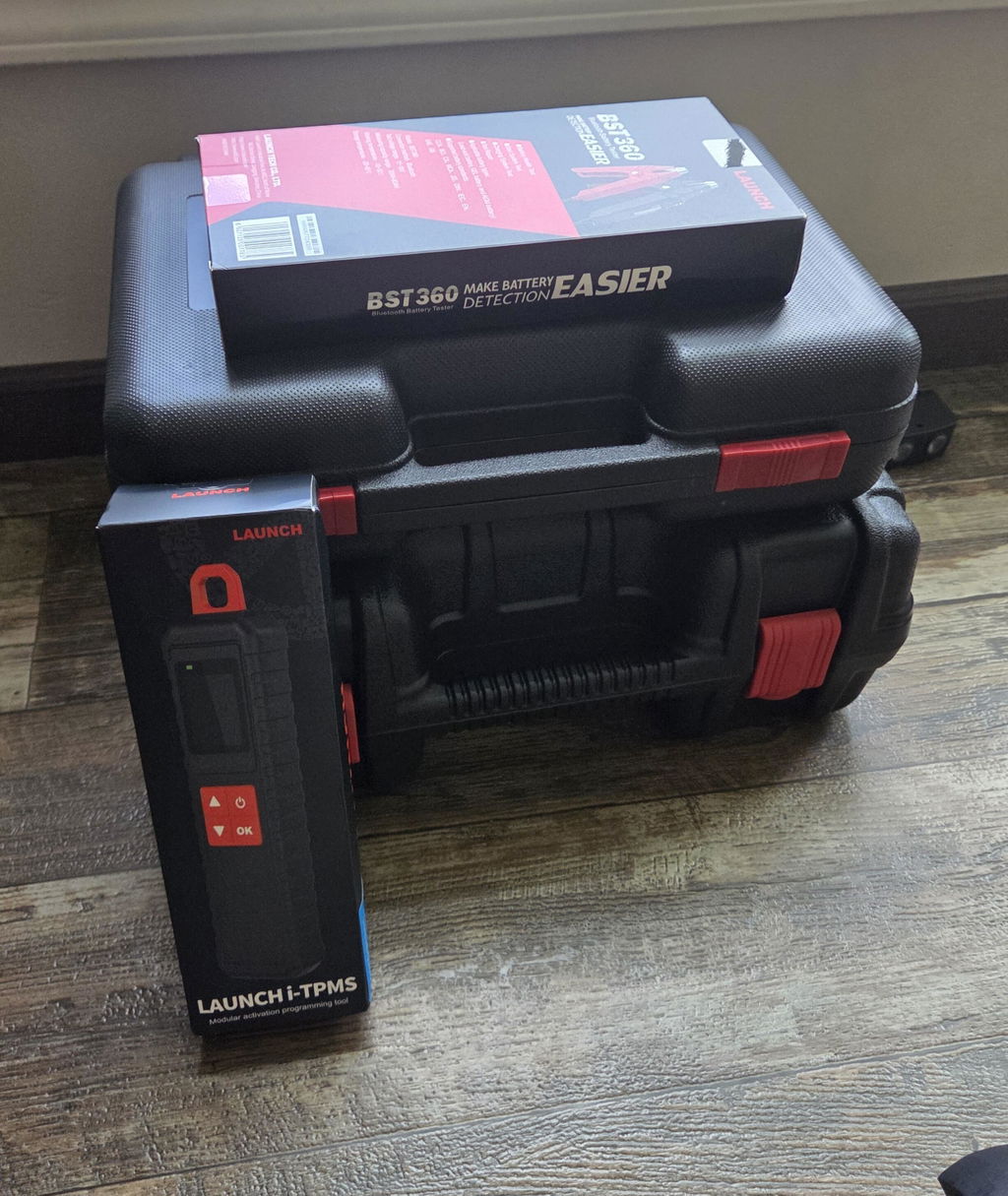
Shipping was fast! One item came separately the next day. I emailed about it being missing and I received an email back saying it shipped separately. I was also given then the tracking # for that item which arrived the next day. Also the launch pro s v works great so far!
T
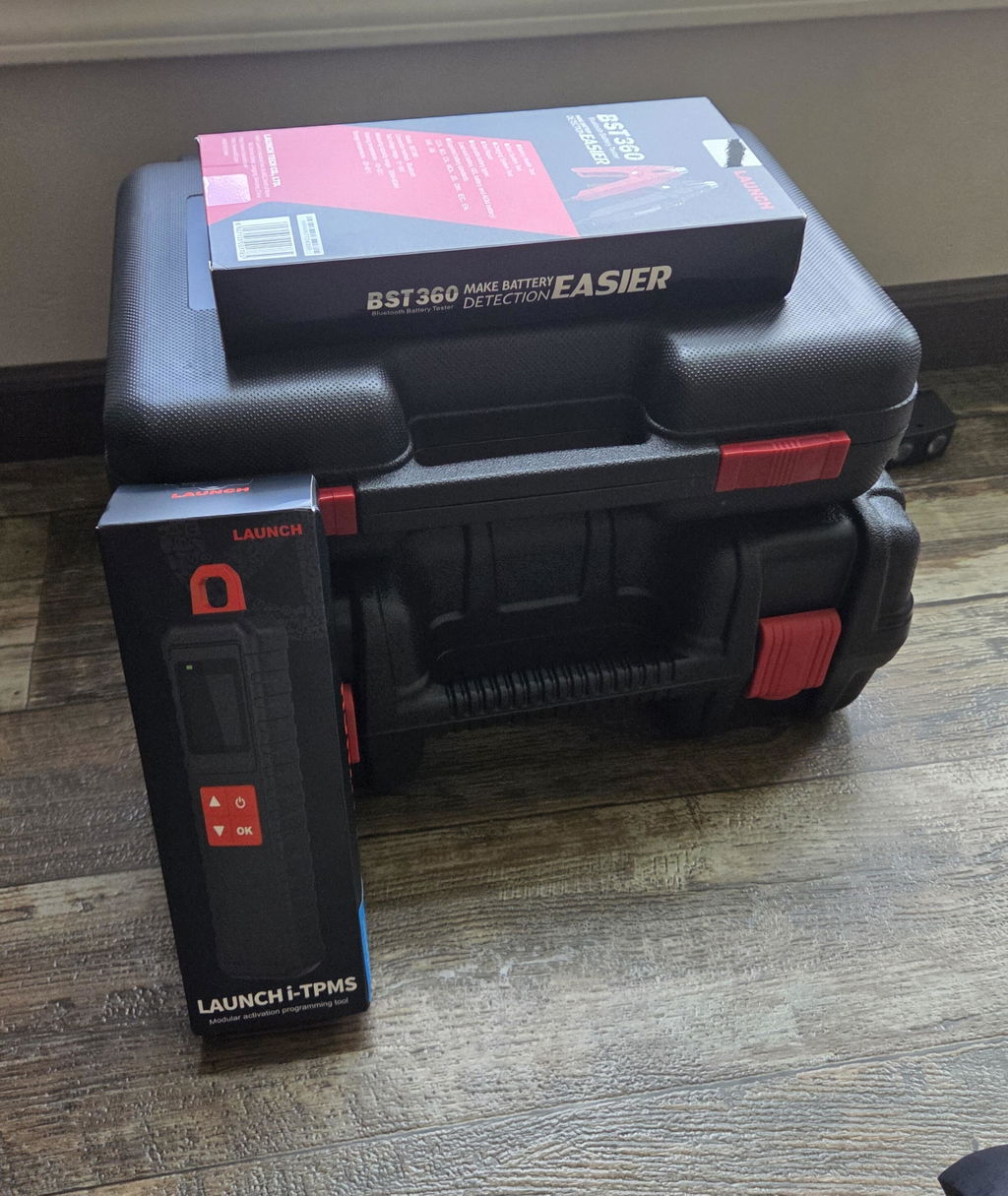
Shipping was fast! One item came separately the next day. I emailed about it being missing and I received an email back saying it shipped separately. I was also given then the tracking # for that item which arrived the next day. Also the launch pro s v works great so far!
A
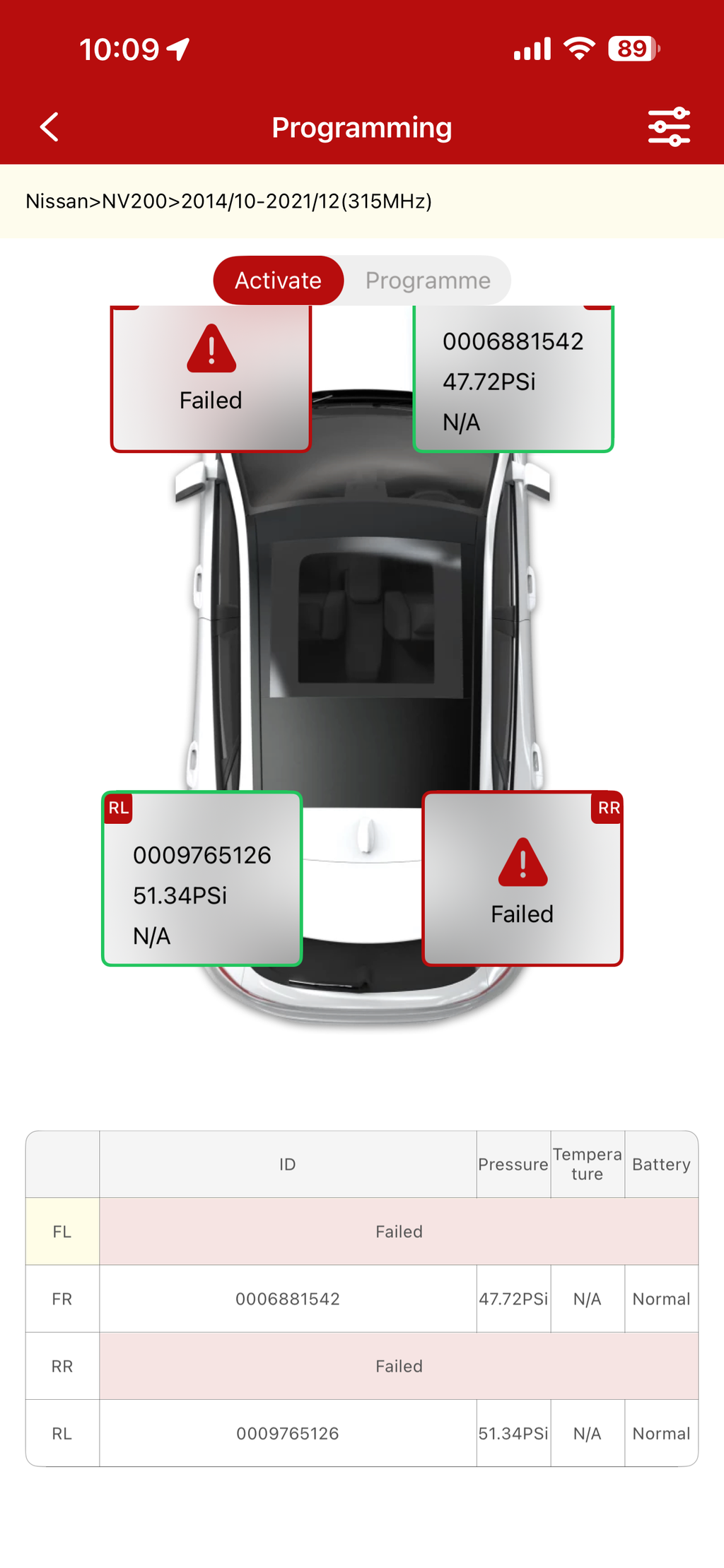
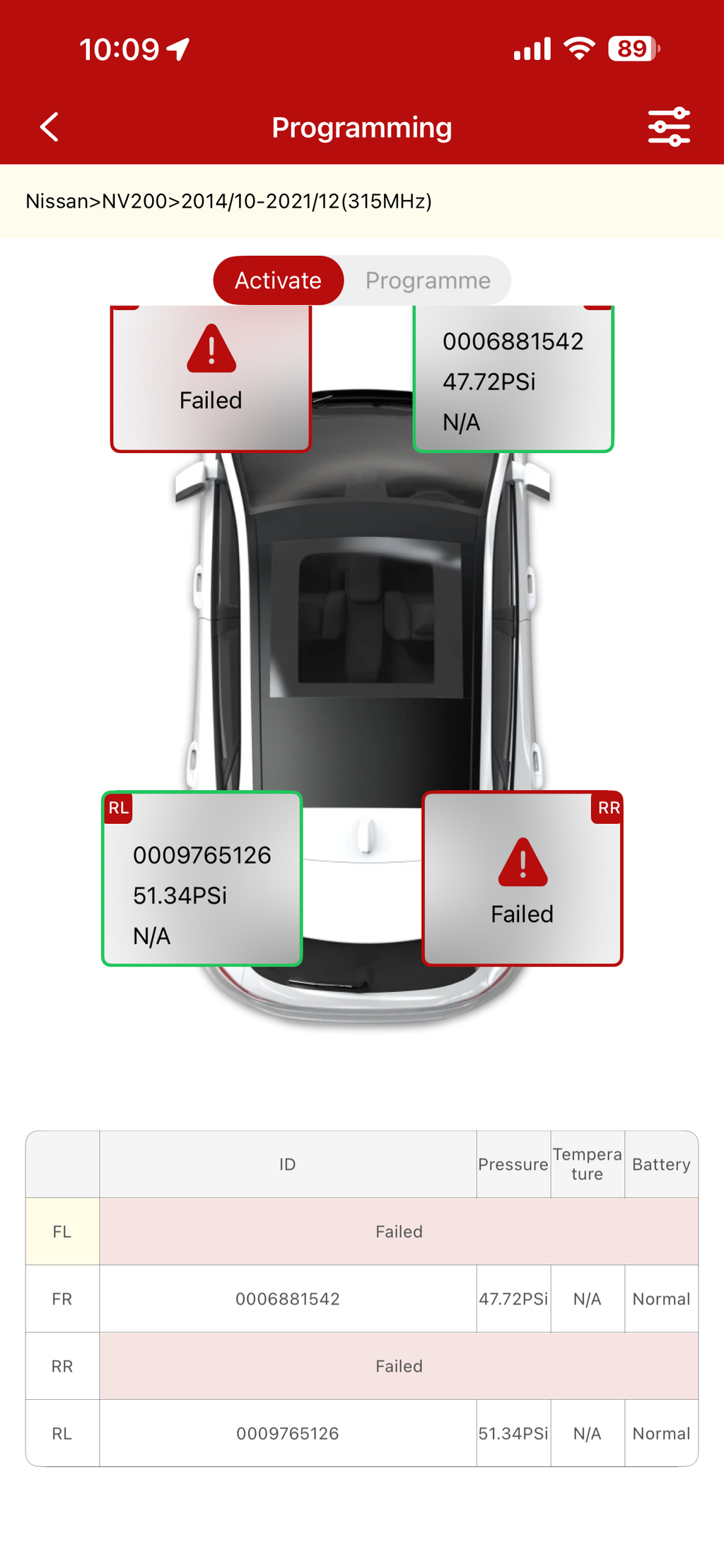
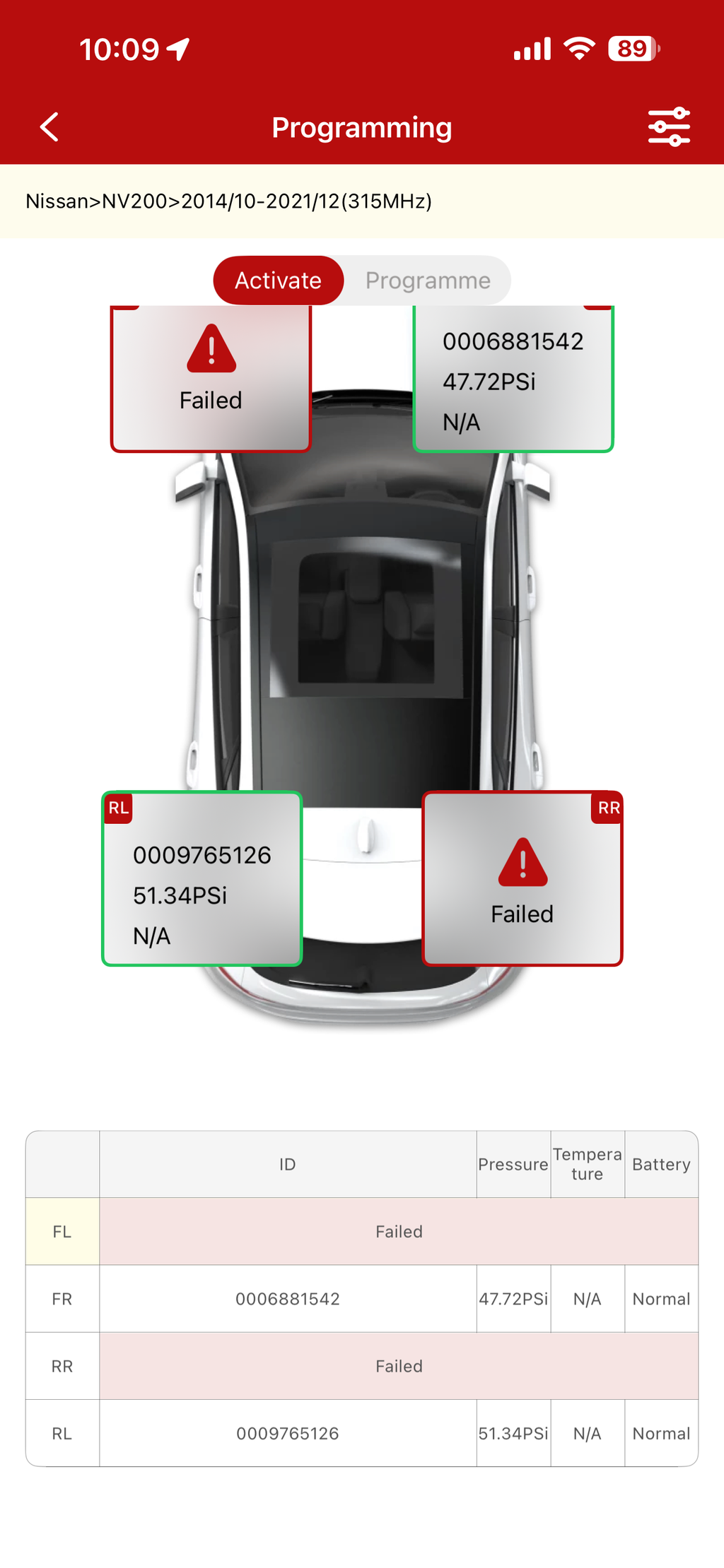
For the time being its a great tool. Love the phone app,Don’t need to poeer up the scan tool to find bad TPMS Sensos. great tool.
M
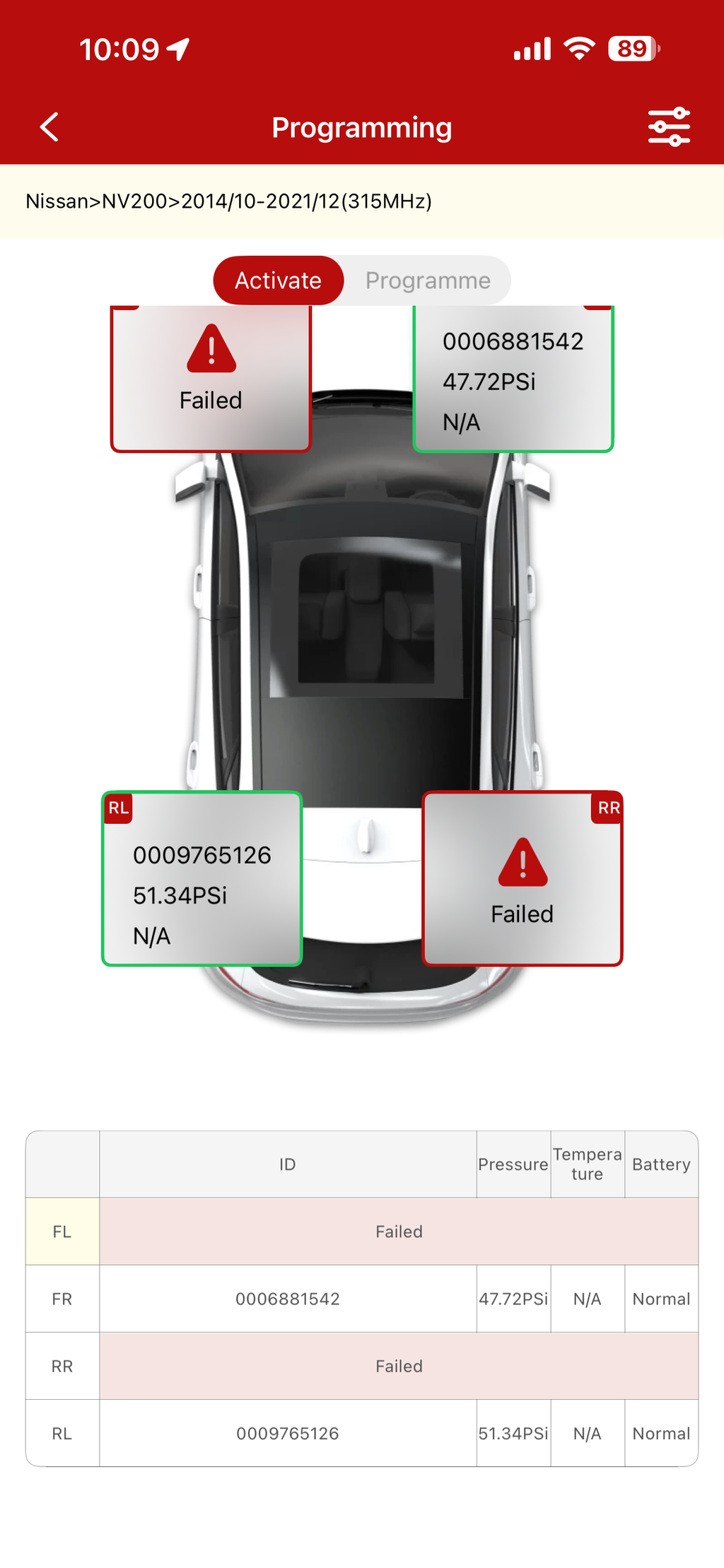
For the time being its a great tool. Love the phone app,Don’t need to poeer up the scan tool to find bad TPMS Sensos. great tool.

M
For the time being its a great tool. Love the phone app,Don’t need to poeer up the scan tool to find bad TPMS Sensos. great tool.

J
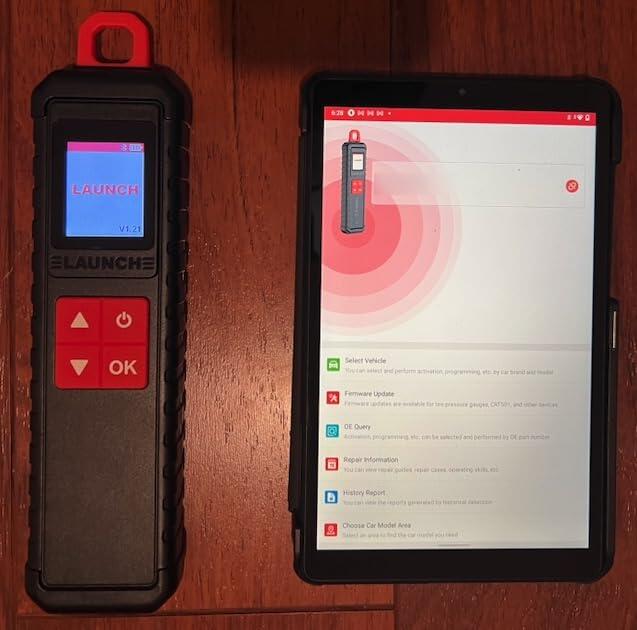
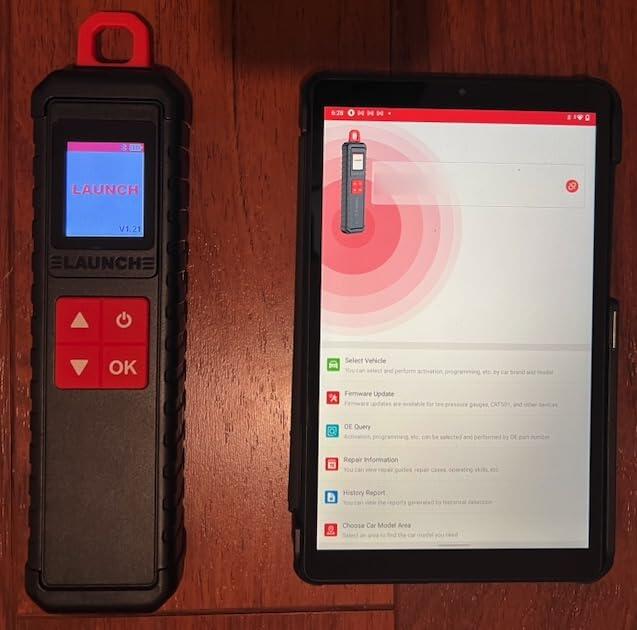
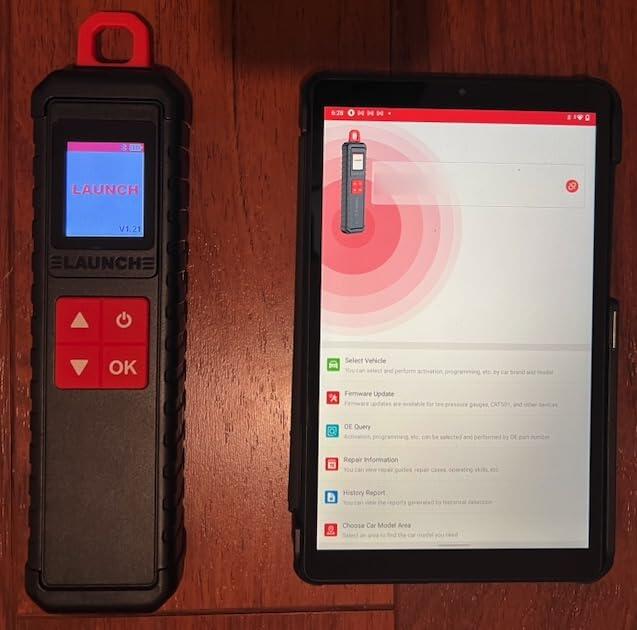
Another great Launch product.However, please beware that this it the TPMS interface sensor and requires either a Launch X431 scanner or an ANDROID phone/tablet to use.Once powered up, the tool connects to your scanner or Android device via Bluetooth.From there, you can select your vehicle to work with.As an iPhone guy, I would have been out of luck because I don't have the X431 scanner that works with this TPMS tool, but I do have a spare Android tablet that I was able to use.The tablet works well and I was able to use it to measure current tire pressures and generate reports that I can send to myself.The software program i-TPMS (app) that you need does NOT show up in the Google Play (store), so you do need to scan the QR code printed on the back of the device or in the User Manual to download and install on your Android device.I actually had to use a 3rd party QR code scanner since simply using the camera on my Android tablet did not cause the app to download.Once downloaded and installed, it was easy to connect to the TPMS device and use it to activate or program your TPMS sensors.I haven't tried it yet, but it appears you can clone an existing sensor with this tool so that full compatibility with a new sensor is assured.I did update the firmware using the i-TPMS app, selecting the "Tire PressureGauge".While Launch claims that this tool works with all 433MHz and 315MHz TPMS sensors, cloning may require using genuine or OE products.This is a professional grade tool.It is excellent for an independent repair shop or someone who has a lot of friends and family that need their TPMS sensors programmed.For a DIYer with a couple of cars in the garage, this may be overkill.Update:I was able to activate a set of new 433MHz TPMS sensors.These are aftermarket clones of Schrader TPMS sensors for GM products.I should be able to program them to work with other car brands, but will see.For now, I was able to read the sensor ID and current temperature.They were not installed yet.
J
Another great Launch product.However, please beware that this it the TPMS interface sensor and requires either a Launch X431 scanner or an ANDROID phone/tablet to use.Once powered up, the tool connects to your scanner or Android device via Bluetooth.From there, you can select your vehicle to work with.As an iPhone guy, I would have been out of luck because I don't have the X431 scanner that works with this TPMS tool, but I do have a spare Android tablet that I was able to use.The tablet works well and I was able to use it to measure current tire pressures and generate reports that I can send to myself.The software program i-TPMS (app) that you need does NOT show up in the Google Play (store), so you do need to scan the QR code printed on the back of the device or in the User Manual to download and install on your Android device.I actually had to use a 3rd party QR code scanner since simply using the camera on my Android tablet did not cause the app to download.Once downloaded and installed, it was easy to connect to the TPMS device and use it to activate or program your TPMS sensors.I haven't tried it yet, but it appears you can clone an existing sensor with this tool so that full compatibility with a new sensor is assured.I did update the firmware using the i-TPMS app, selecting the "Tire PressureGauge".While Launch claims that this tool works with all 433MHz and 315MHz TPMS sensors, cloning may require using genuine or OE products.This is a professional grade tool.It is excellent for an independent repair shop or someone who has a lot of friends and family that need their TPMS sensors programmed.For a DIYer with a couple of cars in the garage, this may be overkill.Update:I was able to activate a set of new 433MHz TPMS sensors.These are aftermarket clones of Schrader TPMS sensors for GM products.I should be able to program them to work with other car brands, but will see.For now, I was able to read the sensor ID and current temperature.They were not installed yet.
J
Another great Launch product.However, please beware that this it the TPMS interface sensor and requires either a Launch X431 scanner or an ANDROID phone/tablet to use.Once powered up, the tool connects to your scanner or Android device via Bluetooth.From there, you can select your vehicle to work with.As an iPhone guy, I would have been out of luck because I don't have the X431 scanner that works with this TPMS tool, but I do have a spare Android tablet that I was able to use.The tablet works well and I was able to use it to measure current tire pressures and generate reports that I can send to myself.The software program i-TPMS (app) that you need does NOT show up in the Google Play (store), so you do need to scan the QR code printed on the back of the device or in the User Manual to download and install on your Android device.I actually had to use a 3rd party QR code scanner since simply using the camera on my Android tablet did not cause the app to download.Once downloaded and installed, it was easy to connect to the TPMS device and use it to activate or program your TPMS sensors.I haven't tried it yet, but it appears you can clone an existing sensor with this tool so that full compatibility with a new sensor is assured.I did update the firmware using the i-TPMS app, selecting the "Tire PressureGauge".While Launch claims that this tool works with all 433MHz and 315MHz TPMS sensors, cloning may require using genuine or OE products.This is a professional grade tool.It is excellent for an independent repair shop or someone who has a lot of friends and family that need their TPMS sensors programmed.For a DIYer with a couple of cars in the garage, this may be overkill.Update:I was able to activate a set of new 433MHz TPMS sensors.These are aftermarket clones of Schrader TPMS sensors for GM products.I should be able to program them to work with other car brands, but will see.For now, I was able to read the sensor ID and current temperature.They were not installed yet.
S
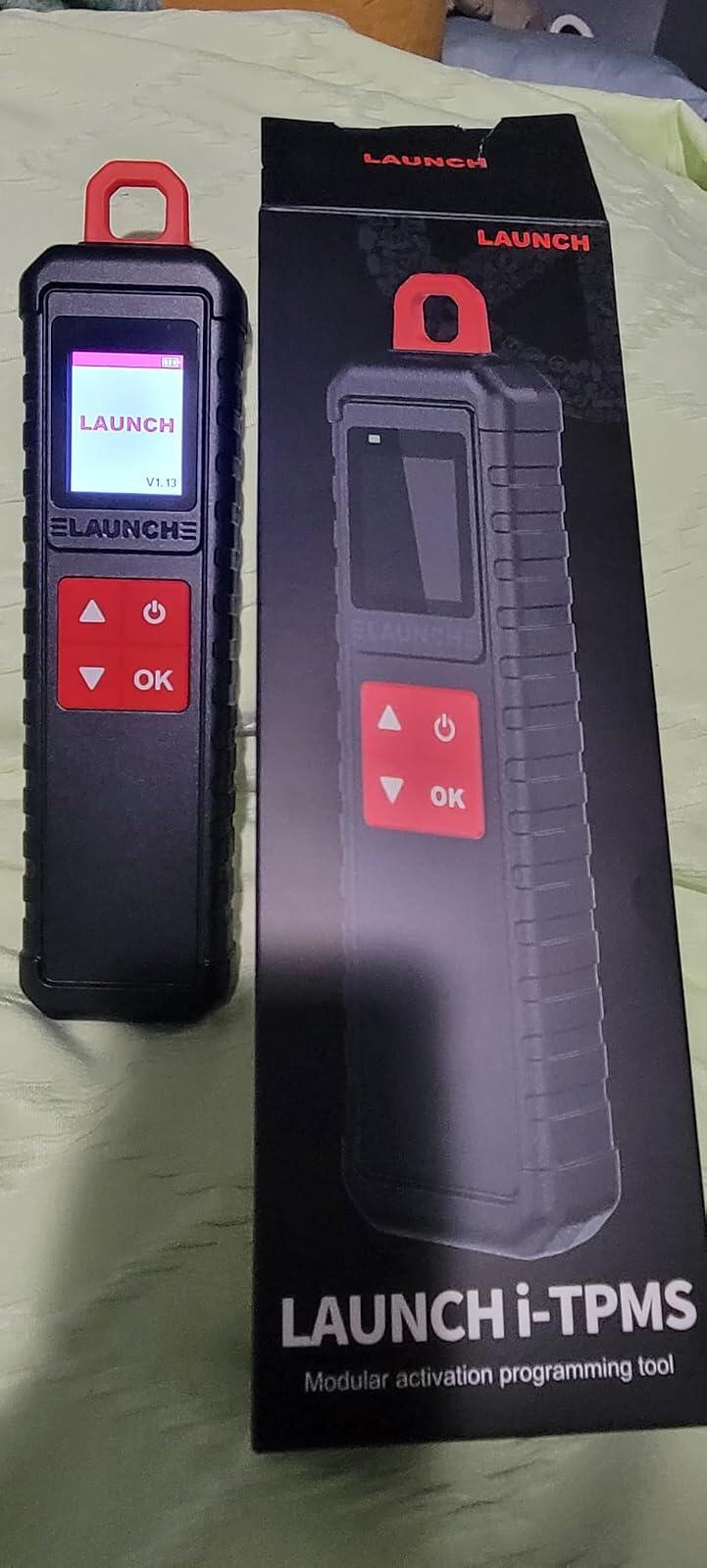
Really good i-TPMS modular programming toolEasy to pair with my Launch Scanner I try others but this work perfectly for me I recommend this product is the best ?? and good price
S
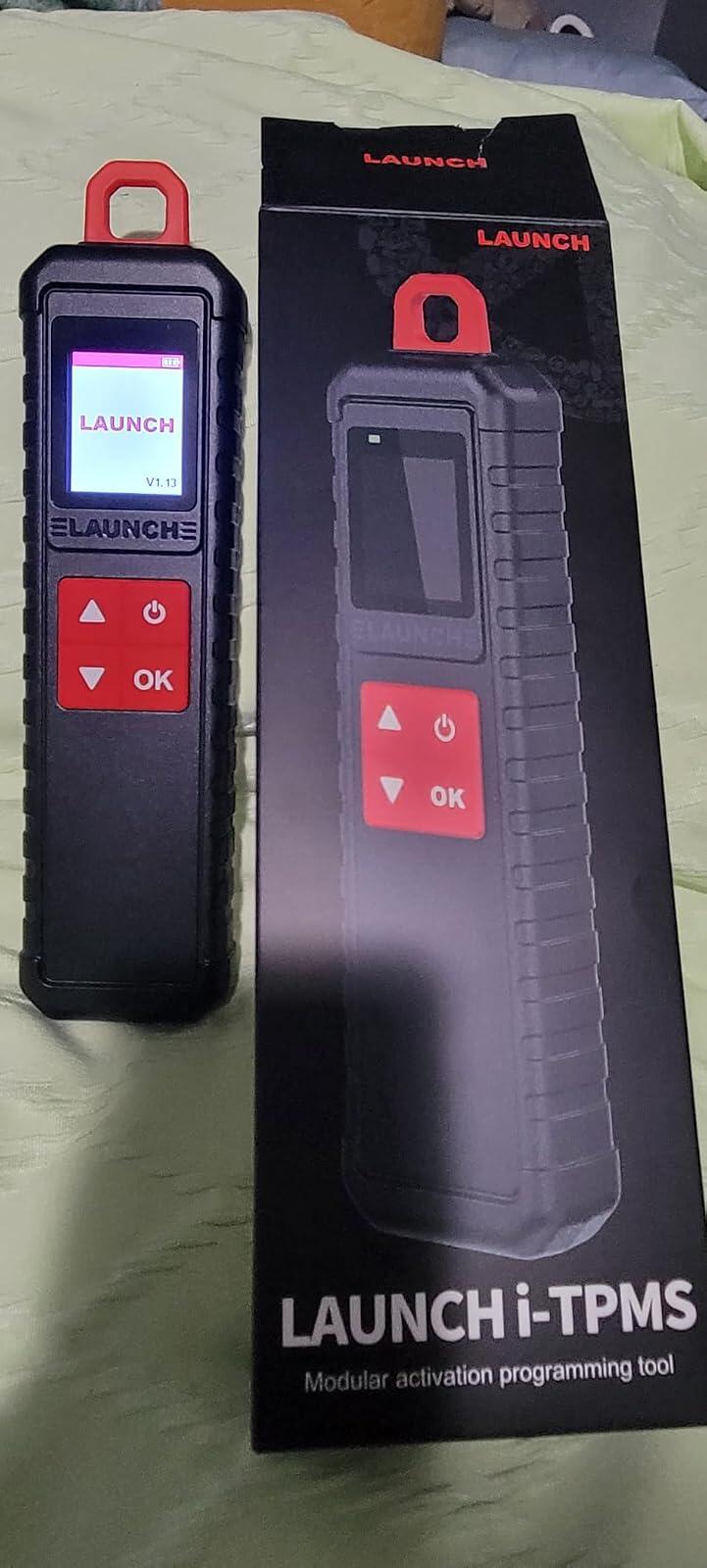
Really good i-TPMS modular programming toolEasy to pair with my Launch Scanner I try others but this work perfectly for me I recommend this product is the best ?? and good price
S
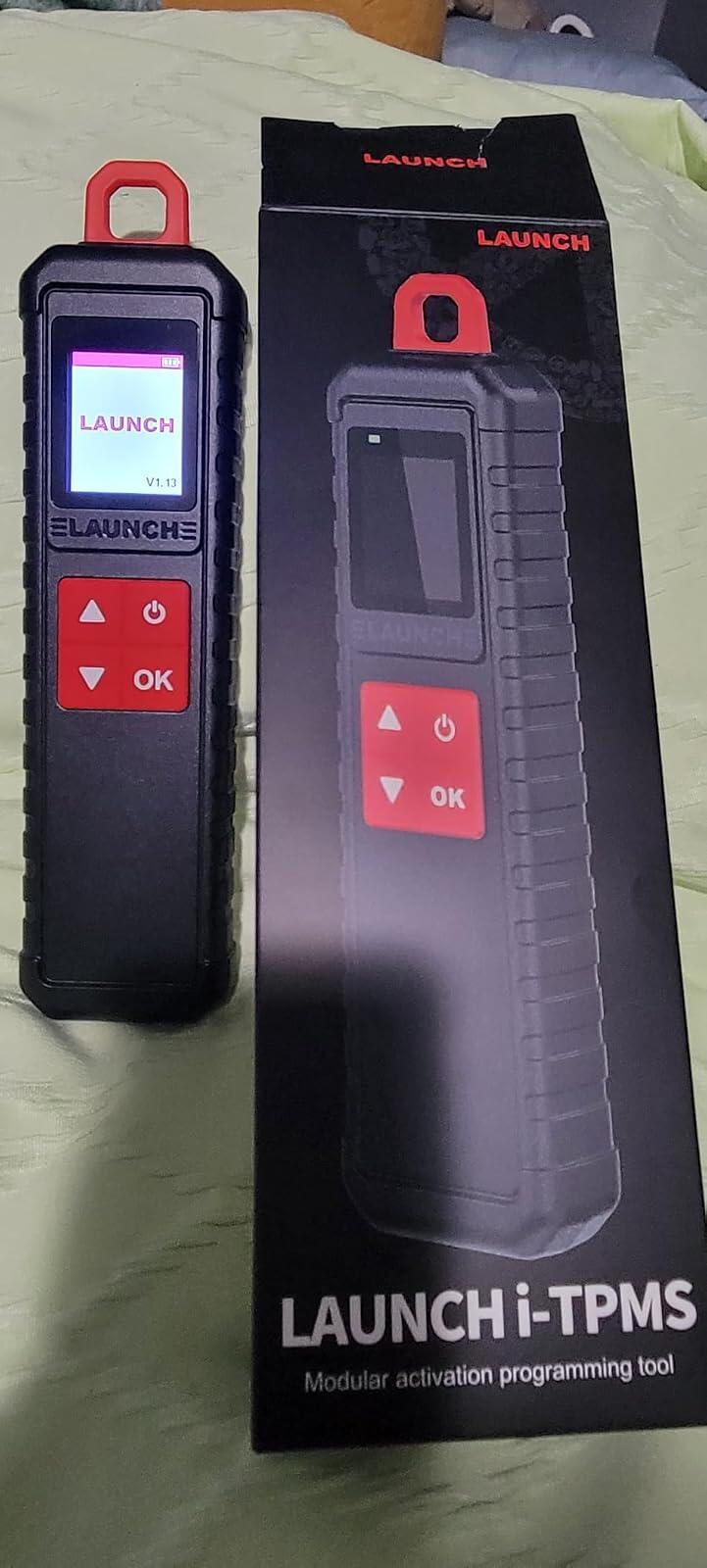
Really good i-TPMS modular programming toolEasy to pair with my Launch Scanner I try others but this work perfectly for me I recommend this product is the best ?? and good price
C
Easy to use, with well written instruction manual.Simple setup and binding with the Launchtablet X431 Pro. It’s an easy add on that adds a great functionality and simple TPMS ops to your diagnostics to your system.Along with the BST360 battery tester your in position to take control of most of your diy automotive issues. This system offers a lot of expandable.
C
Easy to use, with well written instruction manual.Simple setup and binding with the Launchtablet X431 Pro. It’s an easy add on that adds a great functionality and simple TPMS ops to your diagnostics to your system.Along with the BST360 battery tester your in position to take control of most of your diy automotive issues. This system offers a lot of expandable.

C
Easy to use, with well written instruction manual.Simple setup and binding with the Launchtablet X431 Pro. It’s an easy add on that adds a great functionality and simple TPMS ops to your diagnostics to your system.Along with the BST360 battery tester your in position to take control of most of your diy automotive issues. This system offers a lot of expandable.

C
Easy to use, with well written instruction manual.Simple setup and binding with the Launchtablet X431 Pro. It’s an easy add on that adds a great functionality and simple TPMS ops to your diagnostics to your system.Along with the BST360 battery tester your in position to take control of most of your diy automotive issues. This system offers a lot of expandable.

S
Works up to expactations
E
It's simply perfect, works very well with my Launch, and programs the sensors perfectly. Highly recommended.
J
I-TPMS does exactly what it��s supposed to do. Quick install, accurate pressure readings, and dependable alerts. Simple, smart, and worth it.
G
I recently obtained this Launch i-TPMS unit to help manage tire sensor issues on our vehicles here in Florida. From a hardware perspective, the device is clearly high quality and feels like a professional piece of equipment. It manages to activate and read data from both 315 and 433MHz sensors with impressive consistency, and the build quality suggests it will hold up well over time.The software side, however, is where things get a bit complicated. As a software engineer, I was immediately wary of the fact that the app must be side-loaded rather than being available directly on the Google Play Store. Requiring a user to bypass standard security protocols on an Android device is a genuine concern. While the tool itself functions perfectly once you navigate the setup, I am generally cautious about any software that has not gone through the standard verification channels.If you already have a compatible X431 scanner, this becomes a non-issue since you aren't relying on the standalone phone app. But if you are looking to use this primarily with your smartphone, just be aware of the extra steps and the security trade-offs involved. It is a solid, reliable tool, but the distribution method for the app is a noteworthy detail for the security-conscious.
D
Reasonably quick and accurate, easy to use.
M
Ok
Official LAUNCH Authorized Dealer
Genuine LAUNCH diagnostic tools, reliable support and a more confident purchase experience.
We provide authentic LAUNCH products through authorized sales channels, with supported software updates, warranty service and professional technical assistance.
Why Buy from an Authorized LAUNCH Dealer?
Buying from an authorized dealer helps ensure your LAUNCH diagnostic tool is genuine, properly supported and eligible for official services.
100% Genuine Products
Authentic LAUNCH diagnostic tools sourced through authorized distribution channels.
Official Software Support
Access supported diagnostic software, vehicle coverage and available software updates.
Warranty Protection
Eligible products include warranty support according to the terms listed on each product page.
Professional Support
Get help with product selection, compatibility, setup, software updates and technical questions.
Official LAUNCH Authorization

Our authorization confirms that we are approved to distribute genuine LAUNCH diagnostic products through authorized sales channels.
Why Genuine LAUNCH Matters
Professional diagnostic tools depend on more than hardware. Genuine products provide access to supported software, valid device activation and reliable after-sales service.
Reliable Activation
Valid product identification and supported device activation.
Software & Vehicle Coverage
Access supported diagnostic software, vehicle data and available updates.
After-Sales Support
Receive assistance for eligible product, software and warranty needs.
Unauthorized or cloned devices may experience activation, update, compatibility or warranty limitations.
Support Before & After Your Purchase
Our team can assist throughout the entire purchase and ownership process.
Before Purchase
-
Vehicle compatibility
-
Diagnostic function confirmation
-
Product comparison
-
Accessory compatibility
After Purchase
-
Product activation
-
Software updates
-
Technical support
-
Warranty assistance
Buy LAUNCH with Confidence
Choose genuine LAUNCH diagnostic tools backed by reliable software support and professional service.
Genuine Products
Authentic LAUNCH tools and accessories.
Software Support
Supported software and vehicle coverage.
Professional Assistance
Help with compatibility, setup and product use.
Reliable After-Sales Service
Support when you need it after purchase.
Frequently Asked Questions
Are the LAUNCH products sold on this website genuine?
Yes. We provide genuine LAUNCH diagnostic products through authorized sales channels.
Do LAUNCH diagnostic tools include software updates?
Most eligible products include a free software update period. The exact update period varies by model.
Can you help confirm vehicle compatibility?
Yes. Provide your vehicle make, model, year and required diagnostic function, and our team can help check compatibility.
Do all LAUNCH products include the same warranty?
No. Warranty coverage may vary by product. Please refer to the warranty information listed on the corresponding product page.
Can you help with product activation?
Yes. Our support team can assist with general activation, registration and setup questions for eligible products.

Launch Upgrade Card (All Products)
Launch Software Update Card
Renew Your LAUNCH Software Update Service
Keep your compatible LAUNCH diagnostic tool up to date with the latest software, vehicle coverage, and available features.
Select your device model from the options above to purchase the corresponding software update service.
Important Notes
-
Digital Service — No Physical Shipping Required
This is a software update service only. No physical product will be shipped. -
Please Provide Your Serial Number After Purchase
After completing your order, email your device Serial Number (S/N) to:
uksupport@launchx431pro.com
You can usually find the S/N on the back of your device or in the device settings.
-
Processing Time
Software update activation is usually completed within 2 business days after we receive and verify your device information. -
Software Update Only
This service renews the software update period only and does not include hardware warranty coverage. -
Compatibility Confirmation Recommended
Please select the correct device model before purchase. If you are unsure which update option is compatible with your device, contact us with your model and serial number before ordering. -
Digital Product Policy
Due to the digital nature of this service, orders are non-refundable once the update service has been activated or delivered.
How It Works
Step 1 — Choose Your Device
Select the correct LAUNCH device model from the available options.
Step 2 — Complete Your Order
Place your order and complete payment online.
Step 3 — Send Us Your Serial Number
Email your device S/N to uksupport@launchx431pro.com together with your order number.
Step 4 — We Activate the Update Service
Our team will verify your information and activate the corresponding software update service.
Step 5 — Update Your Device
Once activated, connect your device to the internet and open the Software Update section to download the latest available software.
Why Renew Your Software?
Stay Up to Date
Access the latest available software and vehicle coverage for your device.
Expand Vehicle Coverage
Keep compatibility with newer supported vehicle models and systems.
Maintain Diagnostic Capability
Continue using updated diagnostic functions, service functions, and available software features.
No Shipping Required
The entire process is completed online.
Need Help Choosing the Right Update Option?
Not sure which update service fits your device?
Send us your:
Device Model
Serial Number (S/N)
Order Number, if already purchased
Email: uksupport@launchx431pro.com
We’ll help confirm the correct update option before activation.
✅ Fast order processing
You will receive the orders within 24 hours of payment confirmation (excluding weekends and public holidays). During peak seasons or holidays, processing times may be slightly extended. In the event of delays, we will take all necessary steps to minimize them.
To place an order, choose your region and click the link below:
-
United States – https://us.launchx431pro.com/
-
United Kingdom – https://uk.launchx431pro.com/
-
European Union – https://www.launchx431pro.com/
✅ Local warehouses shipment
All orders are shipped from our warehouses in the USA, the United Kingdom, and Germany using premium international carriers to ensure your tools arrive safely and on time.
| Region | Shipping Location | Estimated Delivery Time |
| United States | PERTH AMBOY, NJ | 3–5 business days |
| United Kingdom | Dunstable | 3–5 business days |
| European | Ginsheim-Gustavsburg, Frankfurt | 3–7 business days |
| Other Countries | HongKong | 7–15 business days |
✅ Safe and reliable delivery
You can count on fast, dependable delivery. We work with trusted international carriers like DHL, UPS, USPS, FedEx, and DPD to get your order to you safely.
NOTE: Delivery to some remote or rural areas is not available. If you're unsure whether we ship to your location, feel free to contact our support team before placing your order.
✅ Free Shipping on Local Orders
Local orders (US, UK, EU) ship for free and with no tax.
For orders shipped to Canada or other non-local countries (excluding the US, UK, and EU), import taxes or customs duties may apply upon delivery.
✅ Customs & duties guidance
For customers outside Europe, customs fees are determined by your local government. As these charges vary by country and are beyond our control, we recommend contacting your local customs office before placing your order to understand any applicable fees, duties, or taxes.
✅ More shipment inquiries
For any shipping-related questions, our customer service team is here to help.
Email: uksupport@launchx431pro.com
WhatsApp: +86-180-2870-0839
Business hours: Monday–Friday, 9:00 AM – 6:00 PM (GMT+8)